How to prevent/delete/remove virus/spyware/trojan from USB Pendrive
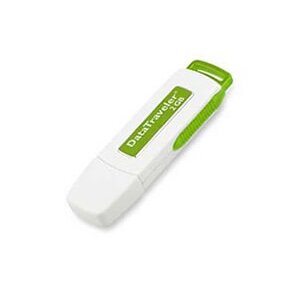
If you are one of those people who always use your USB pendrive outside (Cybercafe, school, workplace) Then most probably your USB pendrive may have been infected by virus, spyware or trojan. Here are some tips on how to remove those sneaky virus, spyware or trojan from USB pendrive.
In command prompt type attrib -r -a -s -h *.* and press enter. This will remove the Read Only, Archive, System and hidden file attribute from all the files. Now just delete the files using the command del filename (e.g. : del Example.exe) Delete all suspicious files
Note : If you still worry of whether they are any malwares in the USB pendrive, just format it for safety reason.
What if I want to prevent such things from happening?
Well, you can do the two things below :
1. Restart the pc BEFORE you plug in your USB pendrive.
2. Install anti virus , spyware or trojan program. You can find a list of the software for free at www.download.com.
3. Always update your anti malware programs to the latest version.
4. Scan the pendrive before you plug it into your pc
Hope you guys can benefit from the tips provided above. Anymore tips/questions are welcome – Please post in the end of this page
Source : Who is Madhur



[...] [...]
i need one power full antivirus for pendrive so please send your answers
[...] to solve their problem Interested in removing trojan/spyware/virus from your pendrive? Read the guide [...]
how the hell do you scan a pendrive BEFORE you plug it into the PC? X ray vision????
[...] (Cybercafe, school, workplace) Then most probably your USB pendrive may have been infected by virus, spyware or trojan. Here are some tips on how to remove those sneaky virus, spyware or trojan from [...]
[...] in removing trojan/spyware/virus from your pendrive? Read the guide [...]
[...] (Cybercafe, school, workplace) Then most probably your USB pendrive may have been infected by virus, spyware or trojan. Here are some tips on how to remove those sneaky virus, spyware or trojan from [...]
[...] How to prevent/delete/remove virus/spyware/trojan from USB PendriveA proper tutorial guide on how you should do to prevent, delete, remove virus/spyware/trojan from your USB pendrive [...]
[...] How to prevent/delete/remove virus/spyware/trojan from USB PendriveA proper tutorial guide on how you should do to prevent, delete, remove virus/spyware/trojan from your USB pendrive [...]
I badly need the password of this email add:. plzzzzzzzzzzz…………. send this password to my email address as soon as possible. If u do so I’ll be veeeeeeeeery grateful to u