Tools

Long URL are hard to memorize and doesn’t have any meanings in it. For example, URL of websites created using certain open source software will results in something messy and long such as this one : example123.org/viewtopic.php?f=470&t=431659 . No one will remember it unless they have lots of free time and have nothing to do.
With URL shorteners, no matter how long and how unorganized the URL is, it can still be generated into few characters and is easy to be remembered. All services listed below are free, easy to use and quick. Without further adue, here I present you the 12 URL Shorteners That You Should Not Miss :
Read More »
![]()
Web 2.0
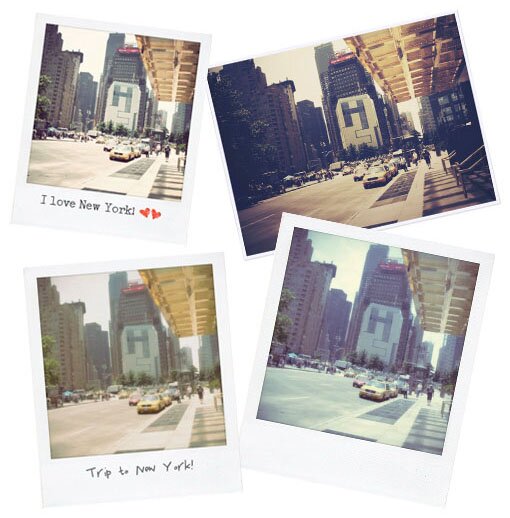
Rollip.com, the new project of Polaroid Corporation is a new website which users can upload their photos and apply polaroid effects on the photos. It’s fairly easy to use and you can print and download the photos after that.
The whole process takes less than 1 minute to finish. So if you are a Photoshop dummy that’s looking for easy way to modify your images, Rollip is definitely the one that suits you best.
Think this is a good app? Help to promote by to your friends!
![]()
Games

Guitar Hero is a global hit; It has become a pop culture and causing a great impact on both the video game and the modern music industry. The series has sold more than 25 million copies worldwide, earning a staggering US$2 billion at retail, claimed by Activision to be the 3rd largest game franchise after the Mario and Madden NFL franchises. According to Activision, the third game in the series, Guitar Hero 3: Legends of Rock is the first single video game to exceed $1 billion in total sales.
This game is addictive, and if you can’t stand the moment when there’s no gaming consoles around you, JamLegend.com has created online version of Guitar Hero which allows you to play Guitar Hero online for free! Whether you’re students wanting a jam session after your cram session, a music aficionado interested in discovering new music, or just bored – JamLegend is the place for you!
Some cool features that were offered at JamLegend.com:
* Turn-based Multiplayer : Duel your friends through Facebook, E-mail or IM and let them play on their schedule.
* Real-time Massive Multiplayer : Take on thousands of users in live, real-time showdowns.
* New Songs : Experience new songs as artists join the JamLegend Platform
* Compete Against The World : Become JamLegendry as you see how you rank against other players from around the world
* Tournaments : Earn prizes for being the best
Can’t wait anymore? Visit JamLegend.com now!
![]()
Instant Messenger
MSN Scenes are cool; Not only they make your MSN dashboard looks more stylish, with a beautifully designed background you will stand out among your peers and give them a deeper impression. Whether you want to adorn your profile or just want to show it off to your friends, with these newly created MSN scenes you will definitely get more attention from everyone else.
21 Free and awesome MSN scenes available for download after the jump.
*Reminder* : All graphics have been resized into 500px x 375px, the actual size of the graphics are 1024px x 768px, they have been zipped nicely in the folder featured below this reminder, just click on the link to download it.
1. Architect

2. Autumn

3. Blue

4. Brown

5. Colour

6. Colourful

7. Dotted

8. Flower

9. Grey Grunge

10. Grunge

11. Grunge City

12. Love

13. Mosaic

14. Music

15. Rainbow

16. Rainbow 2

17. Snowflakes

18. Technology

19. Twinkle Grunge

20. Urban

21. Vintage Pink

Some tips for those who wants to upload their own graphic:
To those who are not familiar with how the msn scene works, if you wish to upload your own picture, make sure the size of the photo is 1024px x 768px. MSN will focus on the middle part of the photo, so keep that in mind if you are doing it on your own.
Can’t find the download link? It’s just above the 1st graphic.
![]()
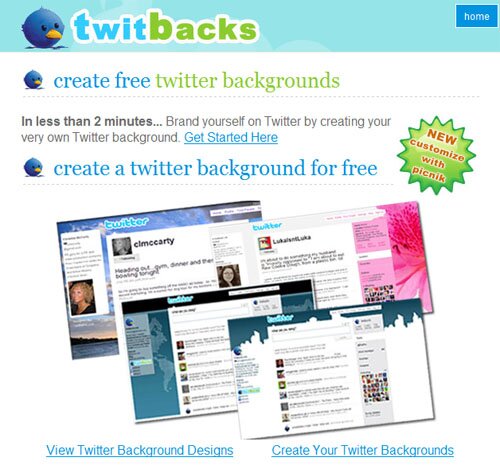
 ) Who loves Ugly Betty when there’s Jessica Alba? Same theory applies to your Twitter account. With a beautiful and attractive Twitter background, it will leave a deep impression for the visitors and who knows, maybe this is one of the reason they decide to follow you on Twitter!