Paypal Malaysia
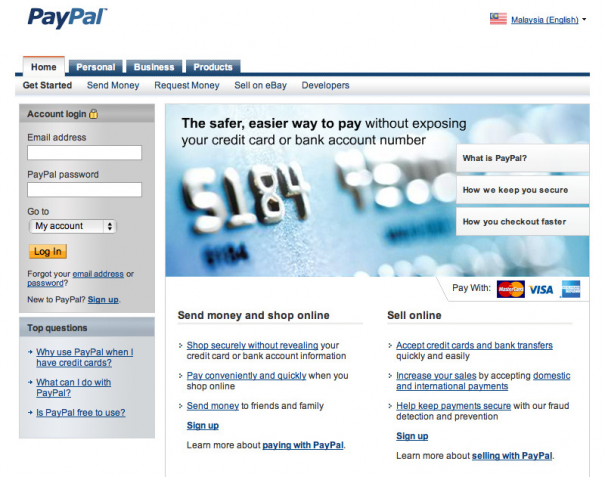
PayPal has extended their services to Malaysia which saw the introduction of 2 new features that allows transaction to be done in local currency & direct Paypal balance withdrawal into local bank account.
This is definitely a good news for every Paypal users in Malaysia as they can save up a significant amount of money if they choose to withdraw money directly to Malaysia bank account. Unlike credit cards, there’s no additional charges to withdraw Paypal balance into bank account if the withdrawal amount is more than RM400.
If you are thinking of opening a Paypal account but have no idea on how to apply, here’s an easy guide on how to get started.
Open a new Paypal account
1. Type in Paypal.com in your browser’s address bar.
2. Once you reach there, click on the sign up link right at the bottom of the sign in form on the top left corner.
3. Choose from either one of the 3 options available:
Personal, Premium & Business.
**Personal account is for individuals who shop online, premier account is for individuals who buy and sell online, while business is for merchants who use a company or group name.**
4. Type in your personal information & choose to link your credit card (If you have one) with your Paypal account.
5. Done! You have just opened your Paypal account.
** Once you have typed in your credit card number, you will be charged 1.95USD. In your credit card statement, there will be a verification code which you will need to key in to verify your credit card & the charges will be refund to you soon. **
What are the charges for online transaction?
| Online purchases | Personal payments | ||
| Pay | Get paid | Send money | Receive money |
| Free | 2.4% to 3.4% + RM2.00 MYR |
Free when you use your PayPal balance
3.4% + RM2.00 MYR for credit card payments (either the sender or recipient can pay this fee). |
|
FAQ
What if I don’t have a credit card? Can I use debit card?
- Yes you can, as long as those cards have Visa or Mastercard logo on it
What is the minimum withdrawal amount?
- RM40.00
What is the bank withdrawal free?
- If RM400.00 MYR or more is withdrawn, you will NOT be charged.
- If less than RM400.00 MYR is withdrawn, you WILL be charged RM3.00
- Return Fee = RM15
What is the credit card withdrawal free?
Withdrawal Fee – 5.00 USD
Minimum Withdrawal Amount – 10.00 USD
Return Fee – 10.00 USD
** If the information in your withdrawal request is incomplete or incorrect, PayPal will return the withdrawal amount to your PayPal account and charge a return fee (RM15). Your card issuer might charge additional fees. **



if i just only buy the product..
which one account must i have choose??
either personal or premier??
saya pun mengalami masalah sama yang berlaku pada niza….mcm maner nak selesaikan masalah mcm nie….?????
tolongla yee..saya baru nak belajar guna paypal nie…. harap dapat lebih maklumat…
saya baru nak guna paypal ada sesiapa yg bleh ajar saya x , email or kol 0133669244
Hi Edward, tq for the paypal information. I am trying to get my eBay account activated with paypal as an option for the bidders. Can i know by using the bank account as my withdrawal option, all my bidders who buy from me via paypal will directly go into my bank account, correct?
Then if i make a withdrawal of more than RM400, there will be no charges, correct?
Will paypal charge me any other fees?
thanks a lot, i am a newbie in this area & i look forward to your advice. thanks.
Hi Edward, thanks for your tips.
One question for you about paypal malaysia and hope to get answer from you. Can Malaysian now choose to pay by credit card instead of having a paypal account on my product check out page if i use paypal as my merchant? Some countries like UK, US, Japan and etc able to do that long ago.
saya ada dapat emel dr yg saya dapat payment dan perlu dahulukan duit saya untuk bayar shipping company thru western union..then buyer tu kate after submit receipt kt paypal then baru saya dapat penuh full payment termasuk transport cost yang buyer bagi melalui paypal..yang saya konfius, dalam akaun paypal saya zero..dan ini pertama kali saya menggunakan paypal..betul ke ni?tolong ye sapa2 yang tau..yang memang betul dari paypal tp bile tengok detail, emel tu adalah .
aku pon ada masalah yang sama siap bagi due 12 jam betul ke tak nie…. shipping fee tu mahal plak tu